Loop engineering is fast becoming a popular and trending term in the AI space. In the following note, I attempt to explain what it is, why it matters, and the key insights when applying it.
Intro
To better understand loop engineering, you need a good grasp of the techniques that came before it. Over the recent years we have had prompt engineering, context engineering, harness engineering, and now loop engineering. Each layer wraps the one before it. In particular, loop engineering sits outside of the harness to help increase the scope of what AI agents can handle.
1. Prompt Engineering
A prompt is what you say to the model in a single turn. A good prompt includes the role, instructions, format, examples, constraints, and so on. It is the craft of steering the LLM's response.
Prompts are local. A good prompt improves the LLM's response, but it does not give the model memory, tools, or persistence. Relying on prompt engineering is like tuning the wording of one email and expecting it to run your whole business.
2. Context Engineering
Prompt was inadequaate and hence we needed to equip the model with more relevant information. Context is everything the model gets to access during a run: the system prompt, the conversation history, retrieved documents, tool outputs, files uploaded, and any state you may be loading at the start.
Context is finite and ephemeral. It lives in the context window and disappears when the run ends. You can stuff more into it with RAG, summaries, or selective file reads but the limitation encountered by the model is the context window.
Context engineering is about getting the right information into the window and keeping the wrong information out. It can work well for short tasks. But long tasks hit two walls:
- Context rot. Too much information in the window makes the model behave worse. (Capping context to 50–100k tokens is best.)
- False completions. When the context window fills up, approaches like compaction may summarize badly and may even decide that tasks are done when they are not.
Prompt and context are often confused because both appear at input time. The difference is simple: a prompt is something you write; context is something the model sees. A prompt is one ingredient of context. Context also includes memory, tool outputs, and state that you did not write by hand.
To solve the challenges in context engineering, harness engineering is introduced.
3. Harness Engineering
The harness is everything that turns a model into a reliable agent. If the model is the engine, the harness is the chassis, steering, brakes, and fuel system. It is durable; unlike context, it survives after the run ends. It is architecture.
A harness has at least these parts:
- Memory. Procedural instructions, semantic facts, and episodic logs that outlive a single run.
- Tools and skills. Defined capabilities the agent can call: search, code execution, APIs, browsers.
- Guardrails. Rules that prevent bad outputs, unsafe calls, or runaway behavior.
- Evaluation and verification. Tests, traces, and checks that prove whether the agent did what it was supposed to do.
- Connectors. Interfaces to the systems the agent must use: GitHub, Stripe, Slack, your own database.
A good harness separates what the model knows from how it is allowed to act. Procedural memory tells it the rules. Semantic memory gives it facts. Tools give it powers. Guardrails constrain the powers. Verification keeps it honest.
Examples of harness engineering are Claude Code, Codex and Kimi Code.
4. Loop Engineering
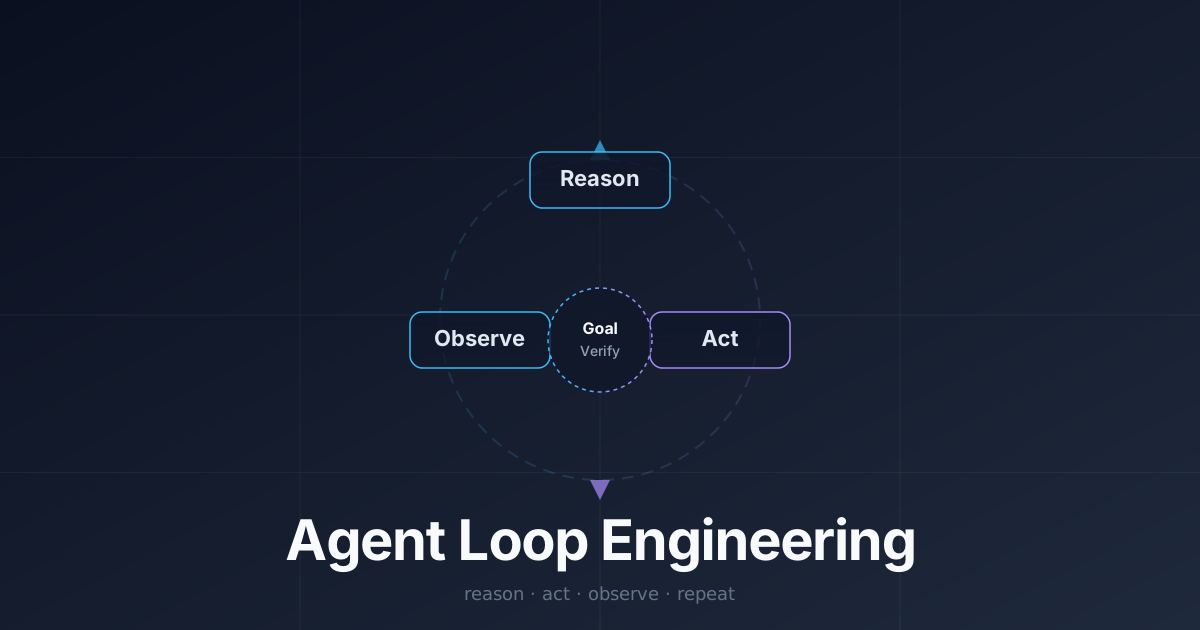
Loop engineering is the orchestration layer. It is how an agent keeps working after the first answer, across sessions, triggers, and tasks. A loop is not the model thinking harder inside one run. It is an outer cycle - a scaffold outside so that an agent can prompts itself on what it thinks it needs to do.
At its core, a loop is a recursive goal: you define a purpose, and the AI iterates until complete. The canonical cycle is:
- Reason — plan what to do next.
- Act — implement the step.
- Observe — check the result.
- Repeat until the stop condition is met.
Every practical loop needs two pillars:
- Goal. What "done" looks like, stated as objectively as possible.
- Verification. How the agent knows it has reached done.
The best loops use objective verification: "keep iterating until X metric equals Y result." Subjective criteria like "until you're satisfied" are weaker and can lead to runaway loops.
Loop engineering is, in a sense, replacing yourself as the person who prompts the agent. You design the system that does the prompting instead.
Why Loop Engineering Matters
If you plot quality against attempts, a single prompt might get you to 50% quality. Human feedback pushes quality up slowly over several turns. A loop with built-in verification can reach high quality faster because the agent supplies its own feedback.
Loop Patterns
Not every task needs a complex multi-agent architecture. A single agent in a reason-act-observe loop is often enough. Common patterns include:
- Solo loop. One agent reasons, acts, observes, and repeats.
- Maker-checker. One agent does the work; a second agent grades it and gives feedback.
- Manager with helpers. A central agent orchestrates sub-agents, each with a narrow role.
Stop conditions
A loop must know when to exit. Common stop conditions:
- Objective metric met.
- Maximum iterations reached.
- Wall-clock timeout.
- No further tool calls needed.
- The agent detects it is stuck or repeating itself.
Role separation matters greatly. The agent that writes code should not be the agent that writes tests. If one agent does both, it will write soft tests that wave its own code through. Coder edits source; tester edits tests.
The reason loops beat long single-session runs is that they reset context. Instead of stretching one conversation until it rots, you split the task into many short iterations. Each iteration starts from a clean context, reads the state it needs from files or memory, does one thing, verifies it, and writes the result back. The continuity comes from the system, not from the model's memory.
How the layers stack
| Layer | Scope | Persistence | Question it answers |
|---|---|---|---|
| Prompt | One turn | None | What do I ask right now? |
| Context | One run | Ephemeral | What can the model see right now? |
| Harness | Many runs | Durable | What structure lets the model act safely and usefully? |
| Loop | Across runs and time | Durable, time-aware | How does work keep happening without me prompting it? |
Common mistakes at each layer
- Prompt layer: Believing a better prompt can substitute for memory, tools, or verification. It cannot.
- Context layer: Treating the context window as a database.
- Harness layer: Building tools without guardrails, or memory without an update system. Memories do not refresh themselves.
- Loop layer: Letting loops run without stop conditions, budget caps, or external verification. An uncontrolled loop is a bug, not a feature.
Final Note
If you are building/maintaining agents, you should be aware of which layers you are working on. The models will keep getting better, but the layers are unlikely to go away. The people who build useful systems will be the ones who know when to tune a prompt, when to expand context, when to harden the harness, and when to engineer the loop.